500+ projects for teams at












What Is a Design System?
A design system is the single source of truth for how your product looks and behaves. It is not a style guide — and it is not a component library — though it contains both. A Figma design system is the infrastructure layer that connects your brand decisions to the components your designers use and the tokens your developers implement.
Without one, design debt compounds quietly. Components diverge. Buttons accumulate slightly different border-radii across features. New screens take longer to build because every designer reinvents the same patterns. Developers file clarification tickets for specs that should never have been ambiguous. Each new hire extends the inconsistency rather than inheriting a standard.
A design system solves this by making the standard the easy path. Once built and maintained, it compresses the cost of every subsequent feature — the opposite of design debt, which compounds the cost of every subsequent screen.
The best time to build a product design system is earlier than it feels necessary. The second-best time is now, before the product grows further.
The Anatomy of a Design System
A design system is not a flat file of components. It is a layered architecture — each layer builds on the one below it.
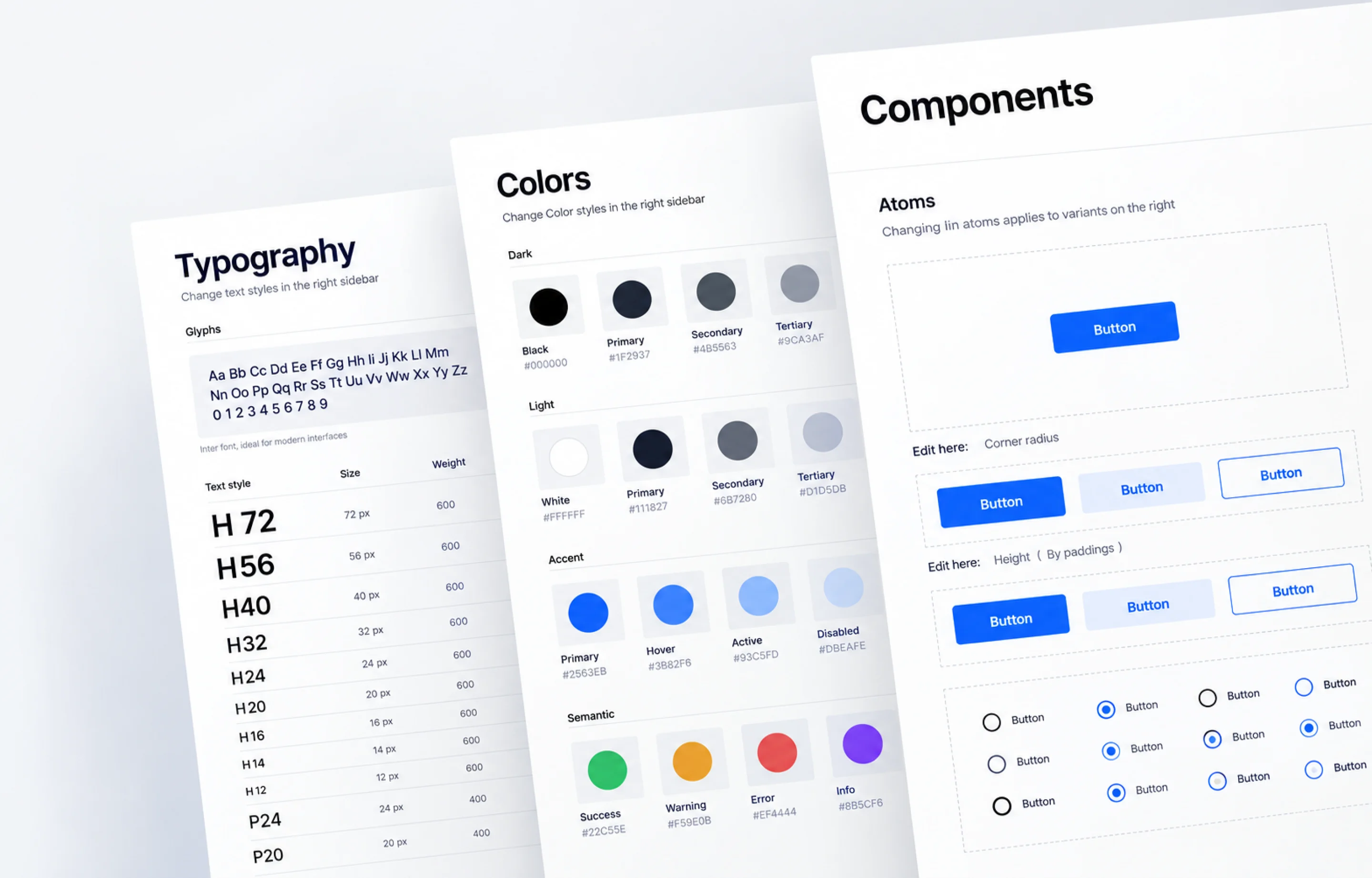
Foundation Tokens
The lowest-level design decisions, expressed as named variables. Every component and every screen draws from these values — nothing is hardcoded.
- Colour system
- Spacing scale
- Type scale
- Radius values
- Shadow levels
- Motion durations
Component Library
UI components built directly on top of the token foundation. Change a token and every component that uses it updates — on both sides.
- Buttons
- Inputs
- Cards
- Navigation
- Modals
- Tables
- Badges
- Alerts
Pattern Library
Assembled flows using components. Not just which components exist — how they combine to solve recurring interface problems.
- Login / signup
- Onboarding
- Data tables
- Form layouts
- Empty states
- Error handling
Documentation
Usage guidelines for every component: when to use each variant, what accessibility requirements apply, what to avoid, and how the component behaves in context.
- When to use
- Variant notes
- Accessibility
- Do / Don't
Figma System File
The design-side implementation: auto-layout throughout, component properties, variant sets, and a published team library that every designer's file connects to.
- Auto-layout
- Component props
- Variant sets
- Published library
Token Export
Token files structured for engineering implementation — JSON for Tokens Studio, CSS custom properties for direct integration. The design and code sides stay in sync.
- JSON tokens
- CSS variables
- Tokens Studio
- Dev handoff
Who Needs a Design System?
Three situations where the absence of a system is visibly costing a team — in time, in quality, and in speed.
Your developers are rebuilding components from scratch every sprint
There's no component library on the code side, so every new feature involves building UI primitives from first principles. Developers file spec questions because the design file has hardcoded values rather than named tokens. Revisions are expensive because there's no abstraction layer to change.
- •Design-to-dev handoff requires lengthy spec walkthroughs
- •A brand update means manual changes to hundreds of values
- •No component reuse in code means bugs in each implementation

What You Get
A complete design system delivery — not a starter kit. Everything from the token architecture to the usage documentation your team will actually reference.

Foundation Token File
Colour, spacing, typography, border radius, and shadow — structured as named tokens with a clear hierarchy: global → alias → component. Set up for Tokens Studio and CSS custom property export.

Figma Component Library
All components built with auto-layout, component properties, and variant sets. Published as a Figma team library so every designer's file automatically pulls from the same source of truth.

Pattern Documentation
Assembled patterns for recurring flows: form layouts, data tables, empty states, error handling, onboarding, and confirmation dialogs. Shows how components combine, not just what they look like in isolation.

Component Usage Guidelines
Per-component documentation covering: when to use each variant, accessibility requirements, interaction notes, and Do/Don't guidance. Embedded in the Figma file and available as standalone docs.

Token Export Files
JSON token files and CSS custom property exports for engineering implementation. Structured so a token change on the design side flows through to the codebase without manual mapping.

Maintenance & Expansion Cycle
On a subscription, the system grows with the product. New components, revised tokens, documentation updates, and new patterns are handled in ongoing design cycles — not a separate project each time.
How We Build a Design System
Five stages from audit to a published, maintained system. We start by understanding what exists — not by building from scratch before we know what to keep.
Audit
Review existing UI files and identify: component overlap, inconsistencies, missing states, and what already works well enough to keep.
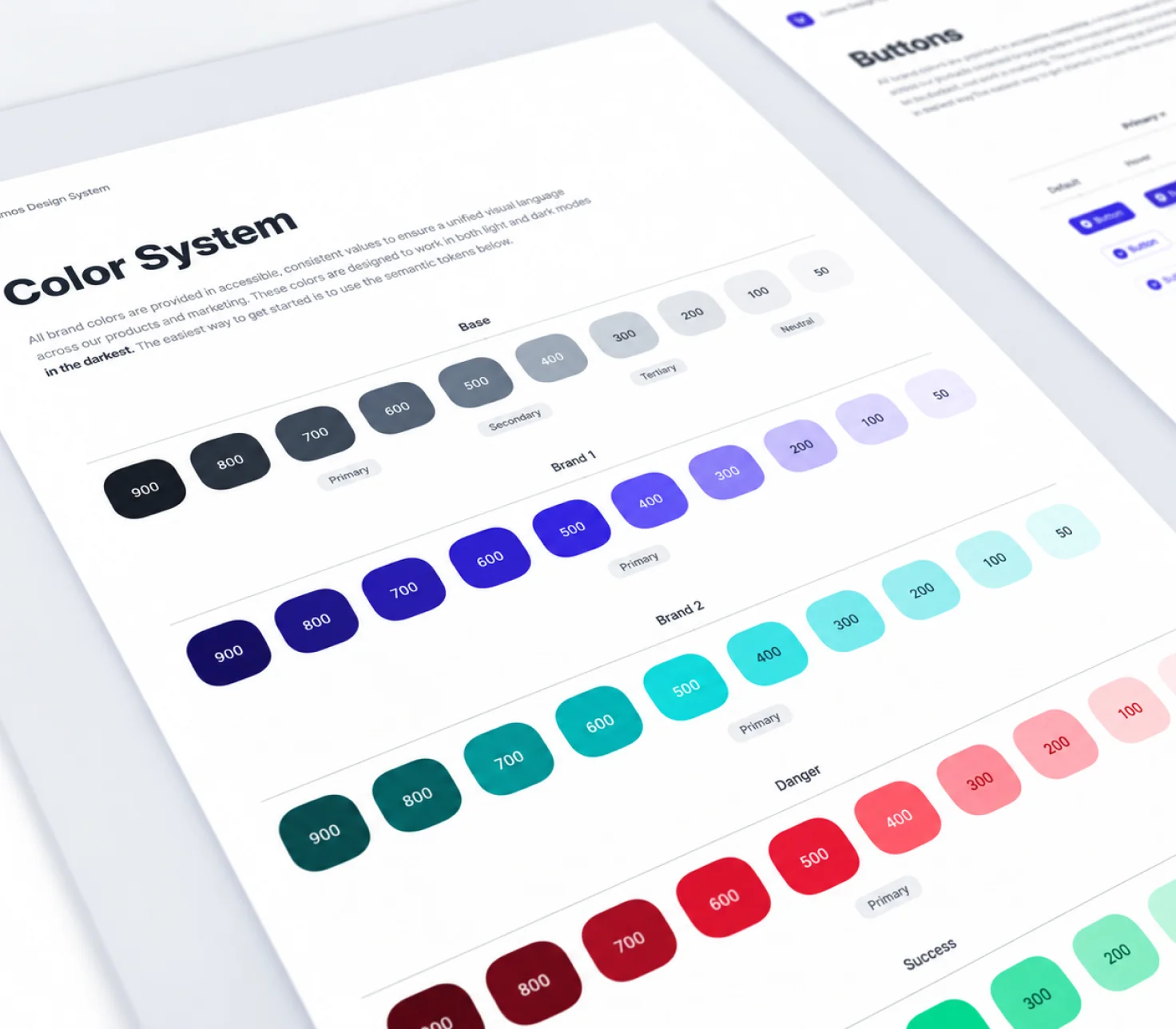
Token Architecture
Define the foundation: colour system, spacing scale, type scale, radius, shadow. Named and structured for Figma and code before building any component.
Core Components
Build the most-used components first — buttons, inputs, cards, navigation — using the token foundation. Everything else references these.
Library Expansion
Build secondary components — modals, tables, dropdowns, data display — and assemble the pattern documentation from real product use cases.
Publish & Handoff
Publish the Figma team library, export design tokens, write usage documentation. From this point, the system runs on the subscription maintenance cycle.
Who Hires Us for Design Systems
The teams most likely to see a direct return on a design system investment — and why it fits them specifically.

Heads of Product Scaling the Team
Hiring more designers but no system for them to work within. A design system means every new hire has a standard to follow on day one — not a pile of files to decode.

Engineering Teams in Dev Friction
Rebuilding UI components from scratch every sprint. Developer handoff requires lengthy spec reviews. A token-based system with CSS export cuts that friction at the source.

Design Teams With Inconsistent Files
Multiple designers working from diverging Figma files. Screens built a year ago don't match screens built last month. A published Figma library turns that into a solvable problem, not an ongoing one.

Teams Inheriting a Legacy Product
Taking over a product with no documented component logic. The system is implicit, not explicit — in the files, not in a library. An audit and rebuild gives the new team something to actually work from.

Agencies Building White-Label UI
Clients need consistent UI across multiple properties or product lines. A single token-based system with brand overrides means each client gets a customised look without a full rebuild.

Startups Pre-Scaling
Moving fast now but heading toward a point where inconsistency becomes expensive. The best time to build a system is before you need it badly. A subscription model keeps the overhead low.
What Makes Our Approach Different
Six things that distinguish how we build and maintain design systems from how most agencies approach them.

Token-First, Always
We never build a component before the token architecture exists. That means every component inherits the system — nothing is hardcoded, and nothing becomes orphaned when the brand evolves.

Figma-Native System
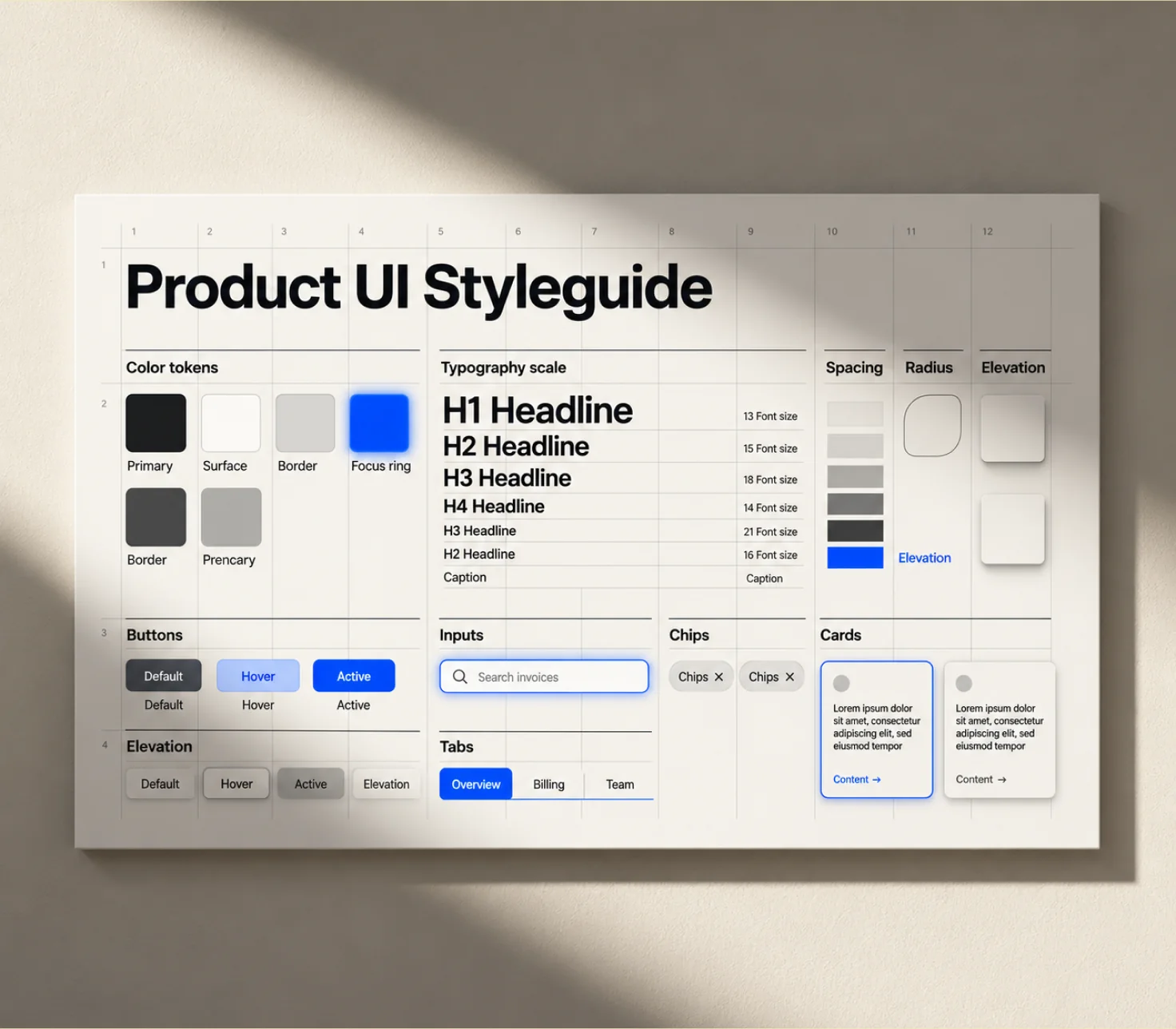
Auto-layout, component properties, and variant sets throughout — not static components or flat frames posing as a system. Published as a team library so every designer's file connects to one source.

Developer-Ready Export
Token files in JSON and CSS custom properties, structured for the engineering team. The gap between the design system and the code system is as small as we can make it.

Audit Before Build
We don't start building from scratch unless there genuinely is nothing to work from. An audit of existing files identifies what to keep, what to refactor, and what's missing — and saves the rebuild work on everything that already works.

Subscription Maintenance
A design system is not a one-time deliverable. On a subscription, maintenance and expansion are built into ongoing cycles — so the system stays current as the product grows, not stale after the first delivery.

Documentation by Default
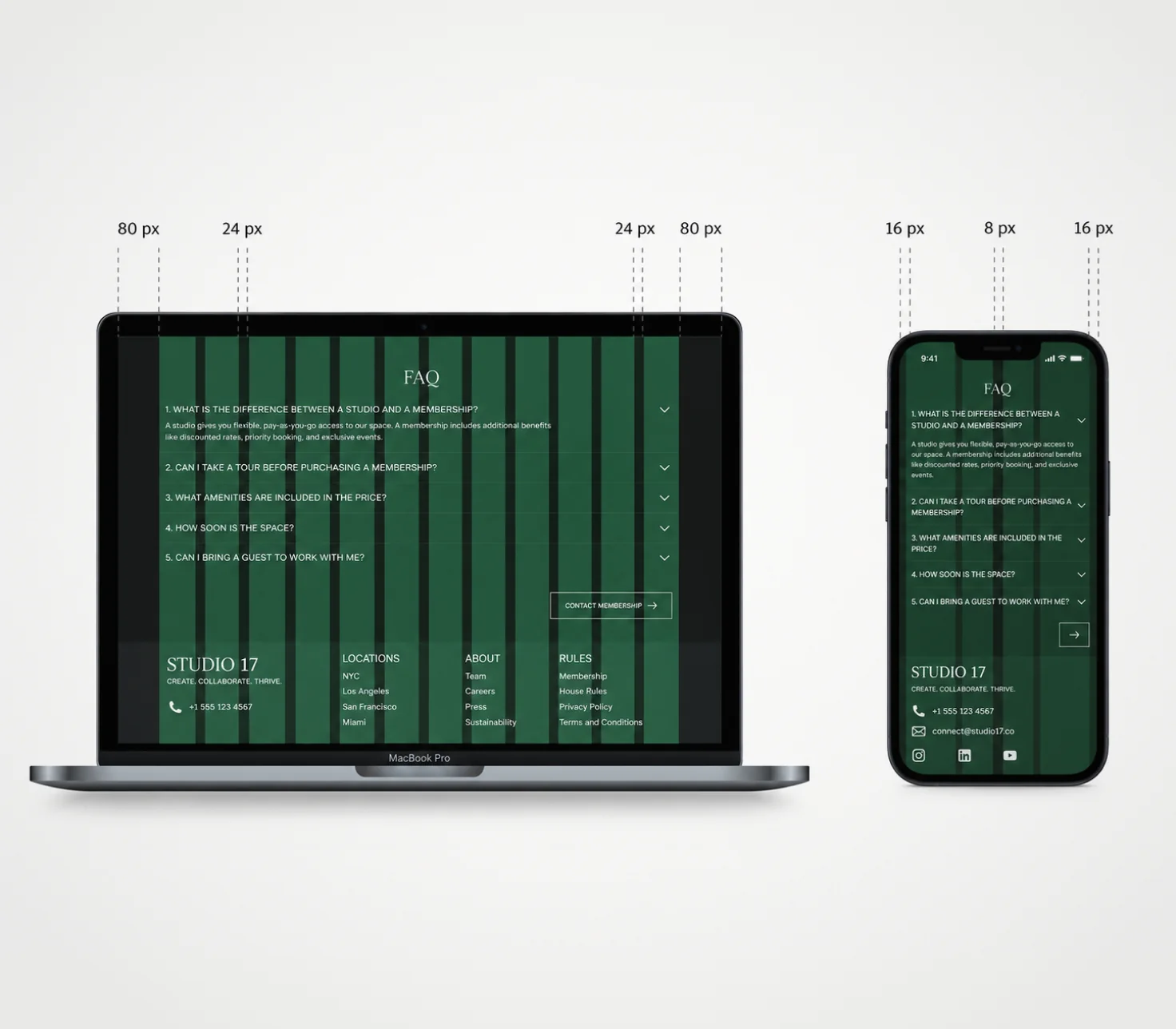
Every component ships with usage guidelines, not just the component itself. Accessibility requirements, when to use each variant, and what to avoid — documented so the next designer can work confidently from the system.

Related Services



Frequently Asked Questions
A style guide documents visual decisions — brand colours, typography, logo usage rules. A design system goes further. It provides the actual components built on those decisions, the patterns that assemble components into flows, and the documentation that governs how each piece is used. A style guide describes; a design system delivers. Most teams that think they need a style guide actually need a design system.
A core design system — foundation tokens, primary components, and basic documentation — typically takes four to eight weeks depending on scope and the number of components in the existing product. A more comprehensive system covering all product surfaces and edge cases runs longer. We scope it precisely after an audit of your existing UI files.
Yes. A design system is not a one-time project — it needs to grow as the product grows. On a subscription model, maintenance and expansion are built into ongoing design cycles. New components, token revisions, pattern additions, and documentation updates are handled as part of the subscription, not as separate projects.
The design-side system is built in Figma — published as a shared component library using Figma's team library feature, with auto-layout, component properties, and variant sets. Design tokens are structured for Tokens Studio and export to JSON and CSS custom properties for developer implementation. No proprietary tooling is required on your side.
Yes. Most products we work with have a partial system — components that were built as the product grew, without a coherent token architecture underneath. We audit the existing components, identify what to keep, what to refactor, and what's missing, then build the gaps and document the whole. We don't start from scratch if there's something worth keeping.
The connection is through design tokens. Token files exported from Figma map directly to CSS custom properties or platform-specific variables in code. A token change on the design side — updating the primary colour, for example — flows through to every component that uses it, on both sides. We export tokens in JSON and CSS custom property format compatible with standard engineering workflows.
The initial build is scoped and priced as a design project. Ongoing maintenance — new components, token revisions, pattern additions, documentation updates — runs on the subscription. This means the system stays current as the product evolves, rather than becoming stale after the first delivery. You can pause or scale the subscription based on product velocity.
Let's Connect.

Let's Connect.
Let's Connect.
Let's Connect.